Last month we rolled out a brand new, state-of-the-art PCGS Set Registry. This is the first major design change the Registry has seen since 2006, and it elevates this popular interactive tool to the forefront of web-based applications currently available for collectors. It’s mobile friendly, snappy, and more intuitive than ever before.
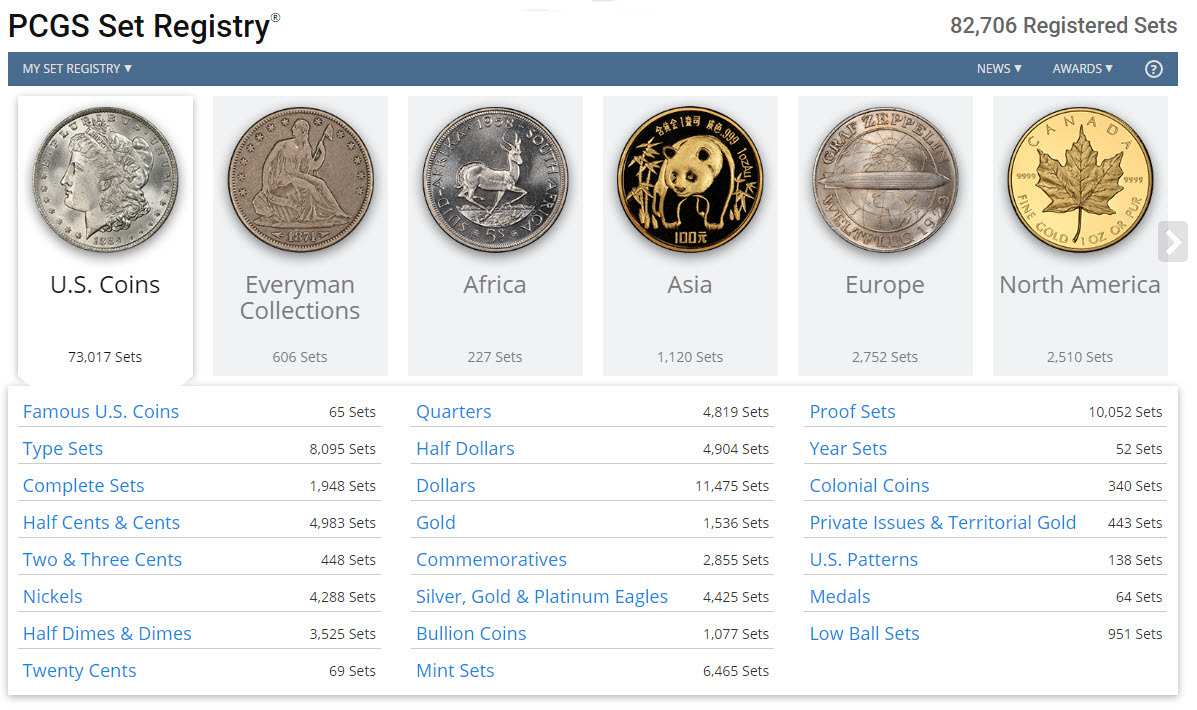
All the features you have grown to love in the old version are still there, with a few new enhancements added to make your collecting experience even better than before.
You’ll notice right away that the Registry home page looks completely different. Navigating to the various categories and countries takes less time. You’ll also see that Digital Albums, a PCGS Set Registry exclusive, are now highlighted. If your album is complete with coins and images, you may see it linked from the home page.
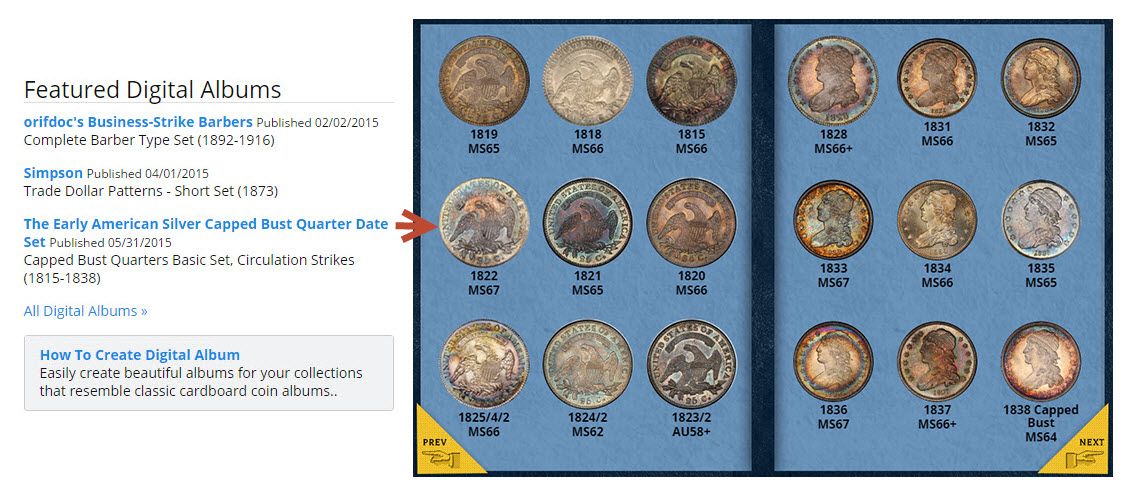
When visiting set composites within categories, you’ll find that pages load quickly. And, at the top of every composite, is a shop link to Collectors.com, a search engine which currently lists nearly 3 million coins for sale. Clicking on "Shop" from a composite in the Registry automatically filters the results to those items that match the composite you are viewing. You will also find the Shop link next to coins you are missing within each of your sets in My Set Registry.
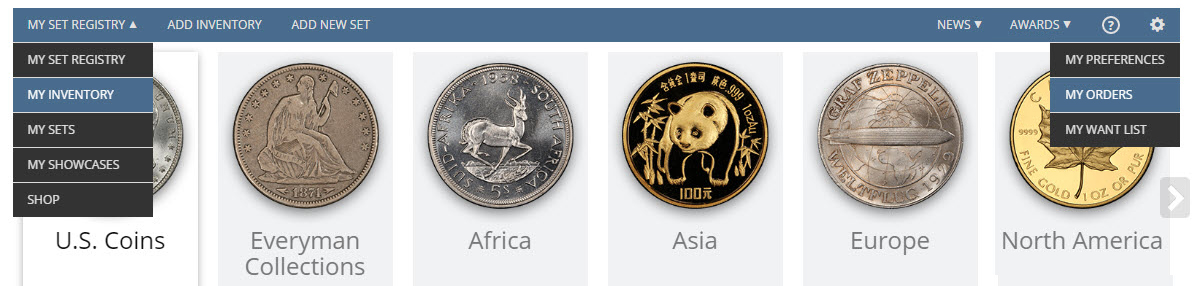
After you’ve logged in to your Registry account, you’ll find the navigation bar at the top of the page quickly gets you to where you want to go. Adding inventory and adding new sets is just one click away. My Inventory, My Sets and My Showcases are located in the My Set Registry drop down on the upper left of the navigation bar. My Preferences, My Orders and My Want List are located under the tools icon on the far right.
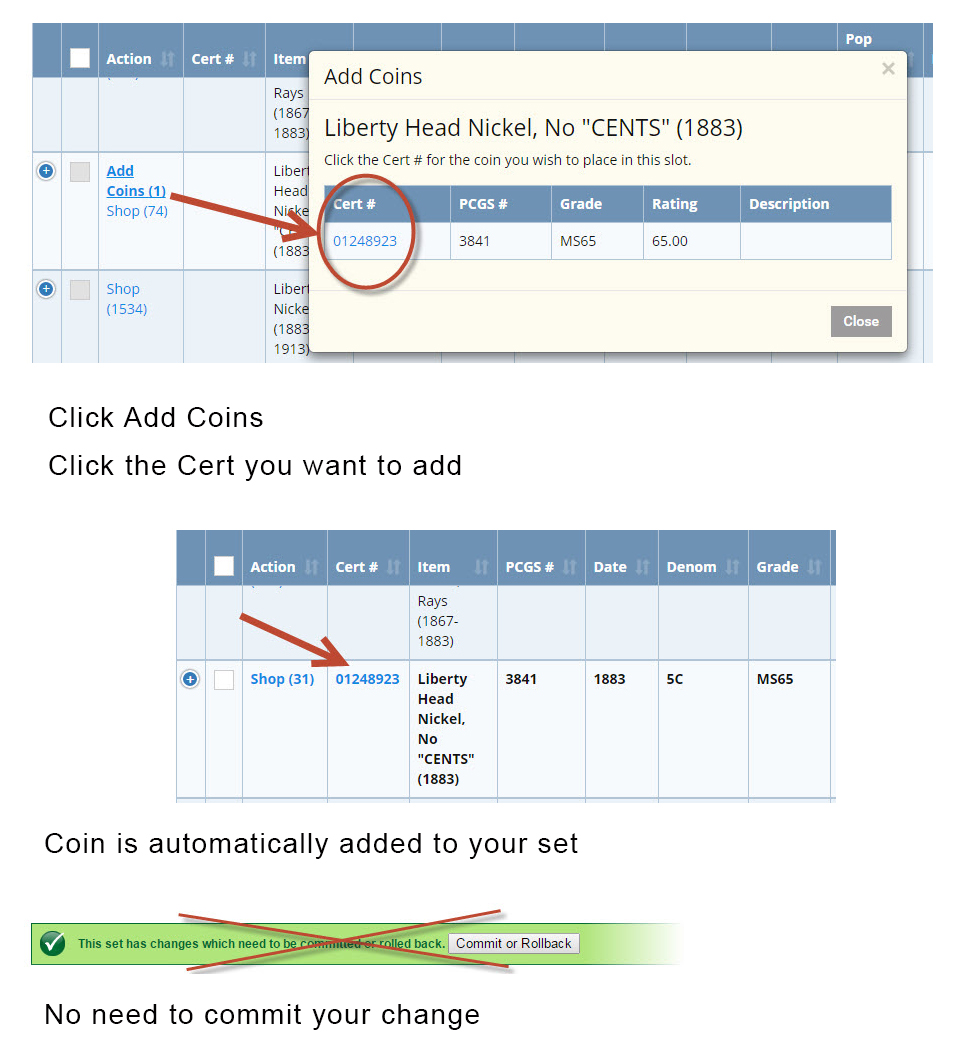
A new enhancement to the Registry is the automatic publishing of new items to your sets. In the last version of the Registry, anytime you added a new coin to your set, either from the Add Inventory function, Add Item from within your set, or Add Best Available items from within your set, you were required to commit your changes, which was a two-step process. Now, once you add an item to your set, your set automatically updates.
For mobile users, all Registry features are still present. Because the new version is mobile friendly, scrolling from side to side to see everything on your phone is no longer necessary. The text is larger and much easier to read. In My Inventory, clicking plus signs opens up all your columns. Editing is done by clicking the Details link.
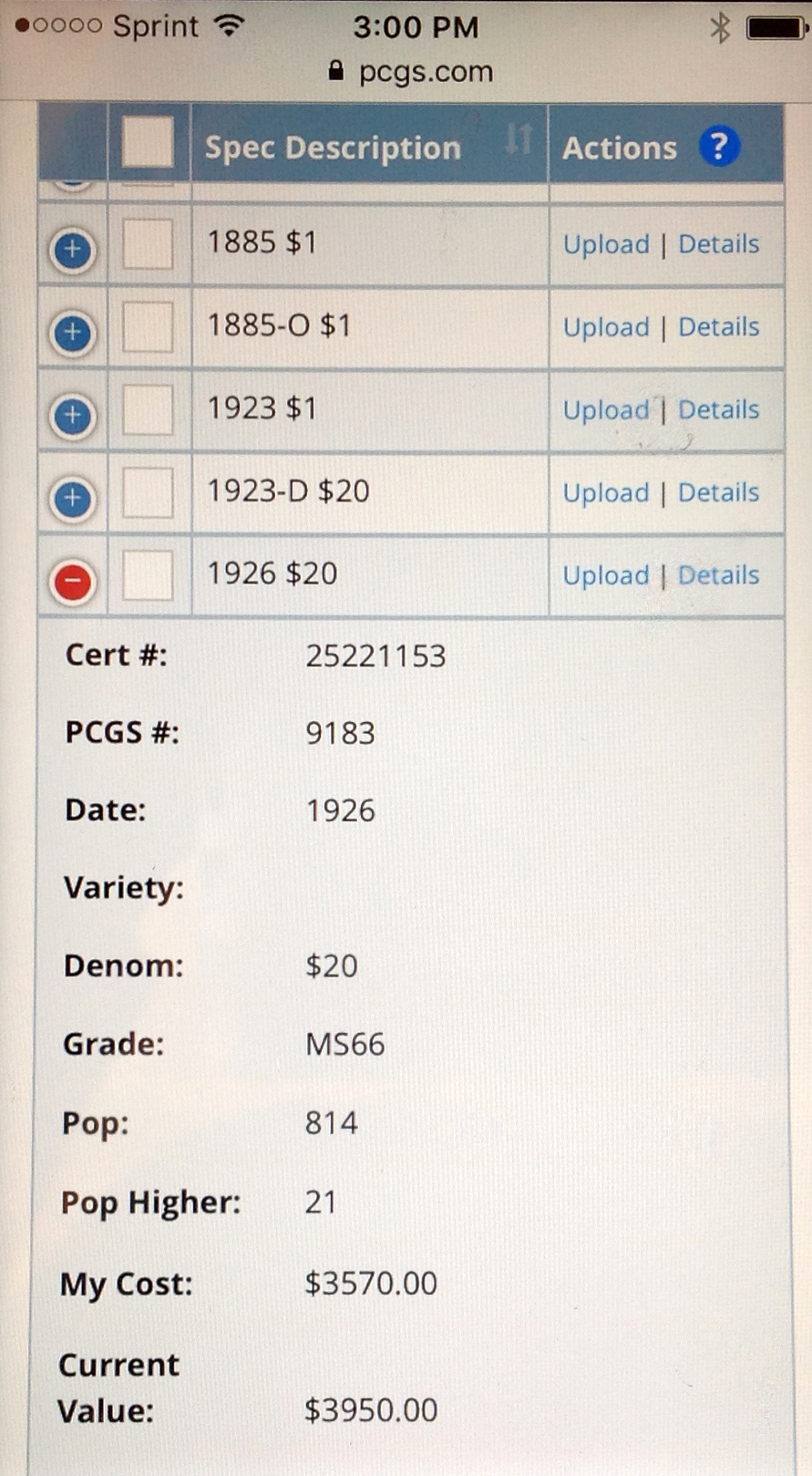
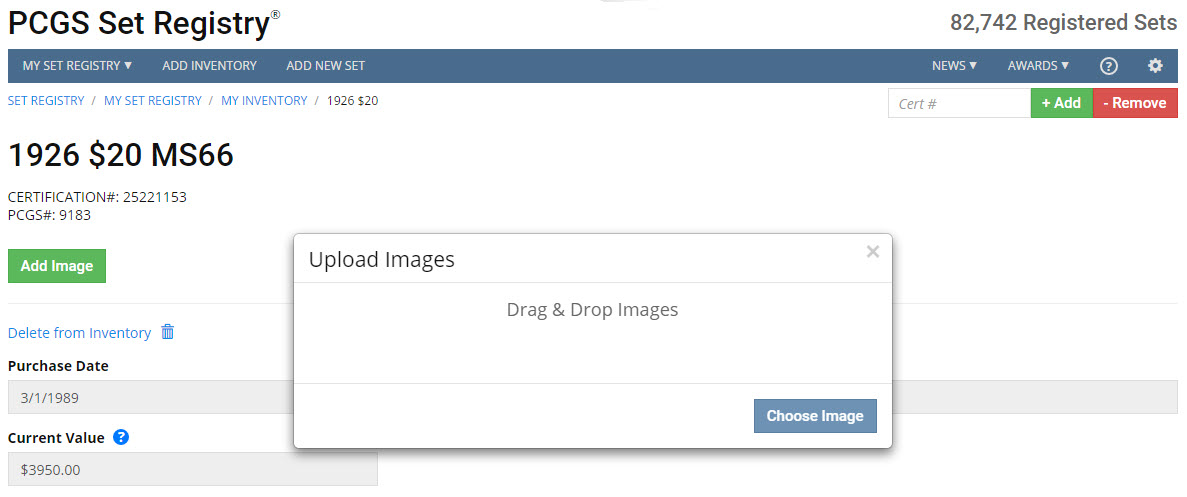
Imaging has been enhanced in the mobile version. Users now have the ability to drag and drop images into their inventory and sets. You can also rotate images once you have loaded them by clicking on the Details link from within My Inventory and then clicking the Rotate Image button.
We hope you are enjoying your new PCGS Set Registry, a product that is one of the free online services offered by PCGS. If you are new to Registry and want to give it a test drive, just login and start adding your inventory. Then go to Add New Set and build your first Registry set from your available inventory. It’s Easy, it’s Fun, and it’s Free! Click here to get started.


 Copper & Nickel
 Silver Coins
 Gold Coins
 Commemoratives
 Others
 Bullion
 World
World
 Coin Market
 Auctions
 Coin Collecting
 PCGS News